

Documentation Index
Fetch the complete documentation index at: https://docs-dev.tessact.ai/llms.txt
Use this file to discover all available pages before exploring further.
Overview
This release improves precision editing, subtitle workflows, and permission controls. It also delivers smoother rendering and more consistent playback across devices.What’s new
Selective timeline rendering on the editor
Export only what is needed—avoid rendering the entire video. This lets you export multiple outputs from the same timeline.Create a draft or open an existing one
Start a new Draft from the Library and add your video to the
timeline, or open an existing one.
Mark In/Out points
Use I and O to set start and end for the segment you
want to export.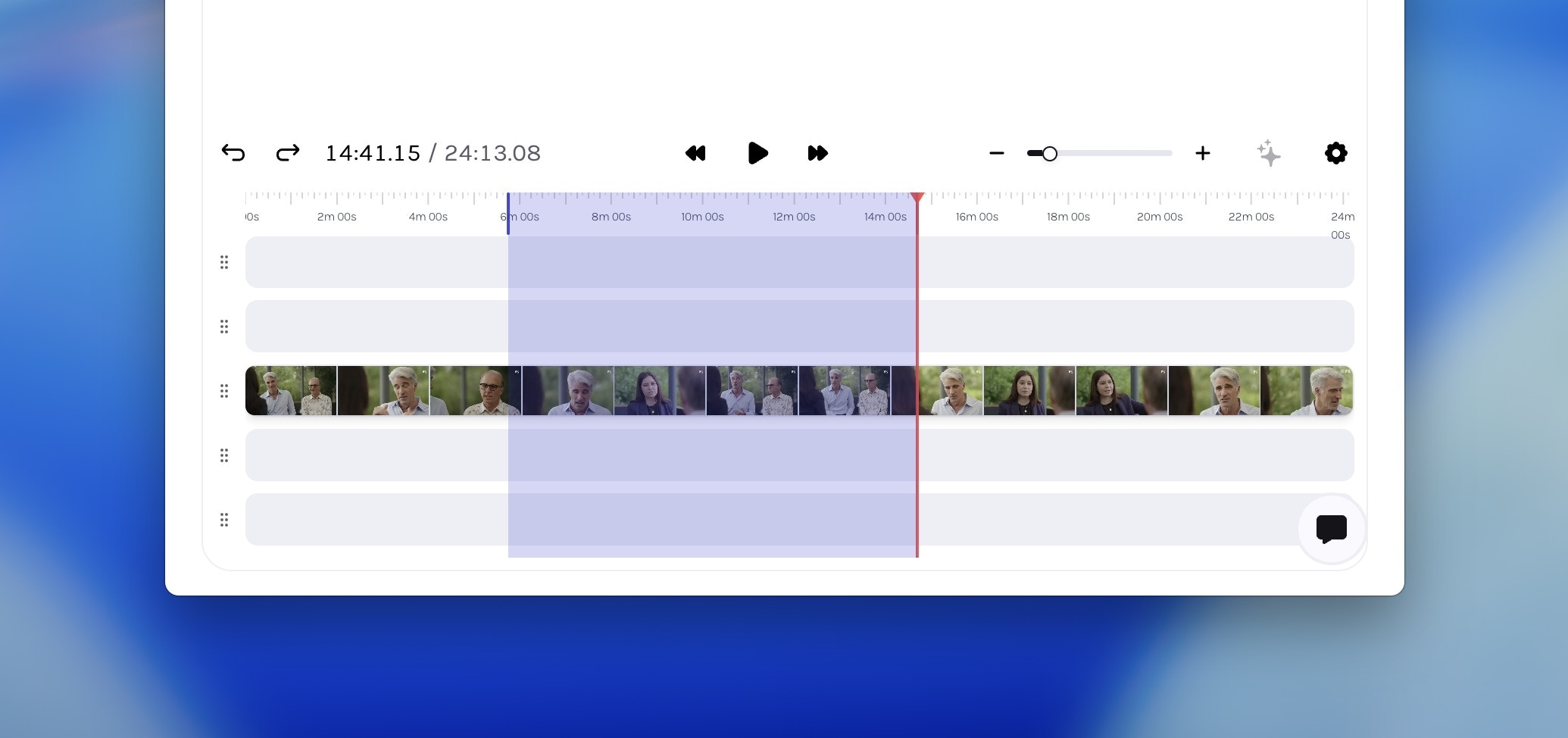
You can clear your selection anytime by pressing Esc.
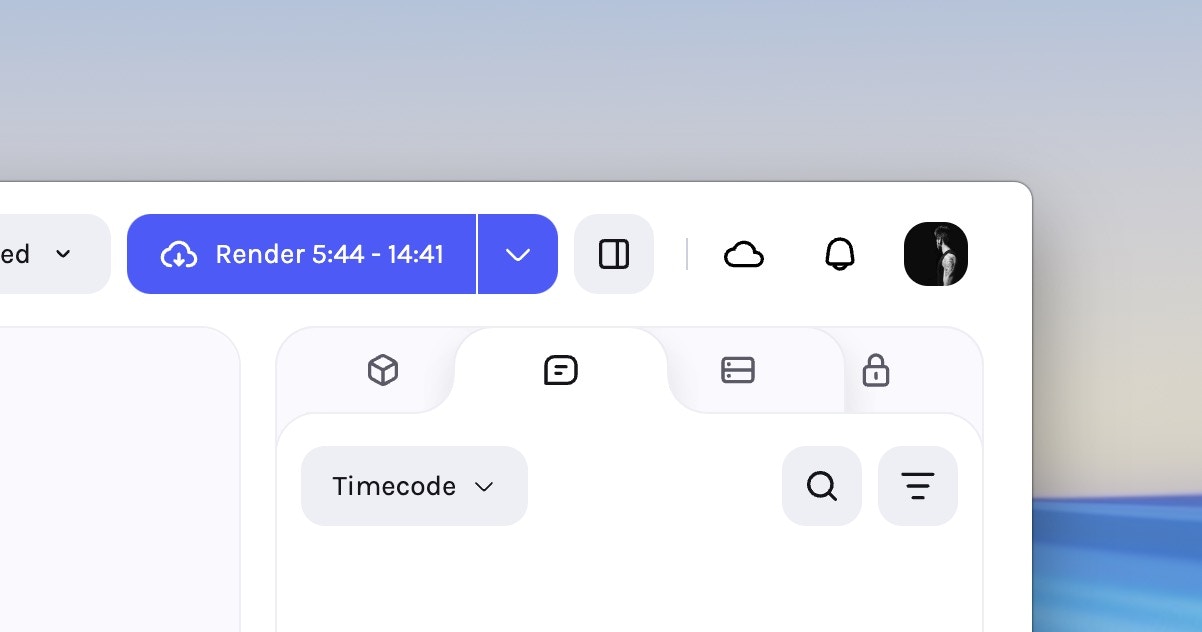
Editable subtitles
Subtitles are now fully editable in the editor—no external tools or re‑uploads. Fix transcription errors, refine phrasing, or localise content directly. Updates save instantly and are embedded on render.Select a clip on the timeline
Select a clip on the timeline and open the Properties panel, go to the
Subtitles tab. Generate auto-subtitles if not already enabled.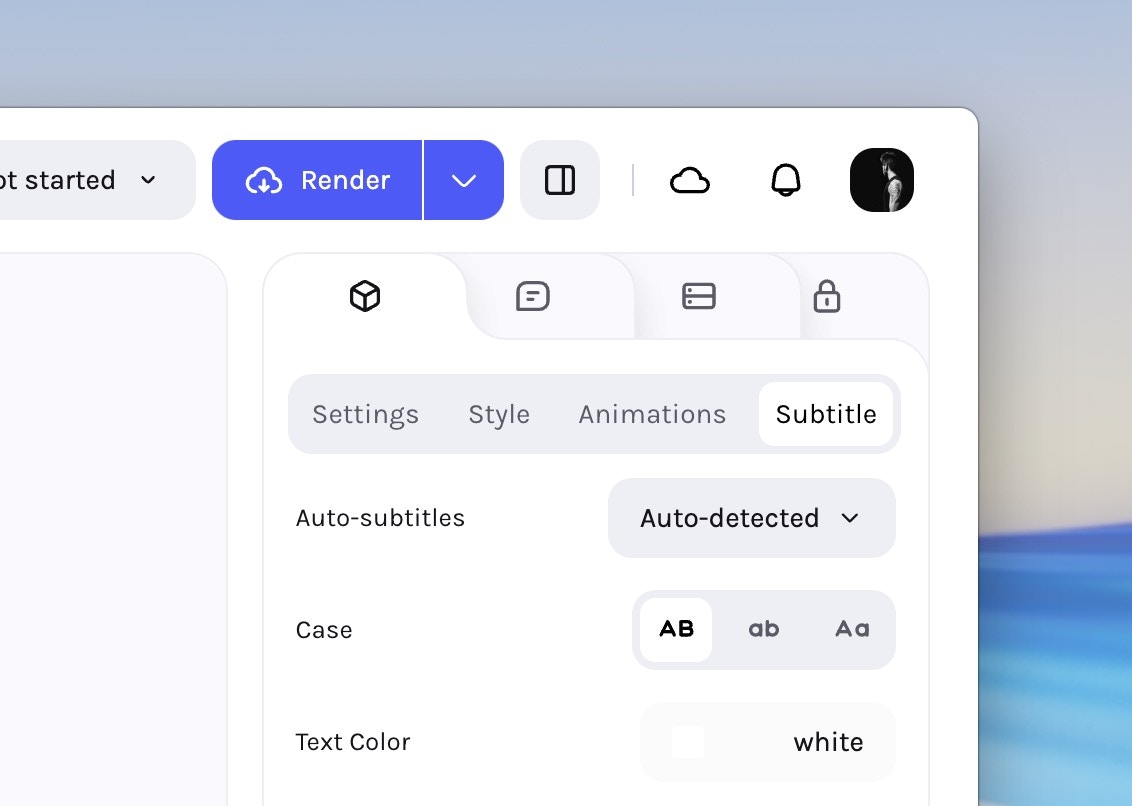
Scroll down to edit captions
Scroll down to see time-stamped captions that you can click on to edit.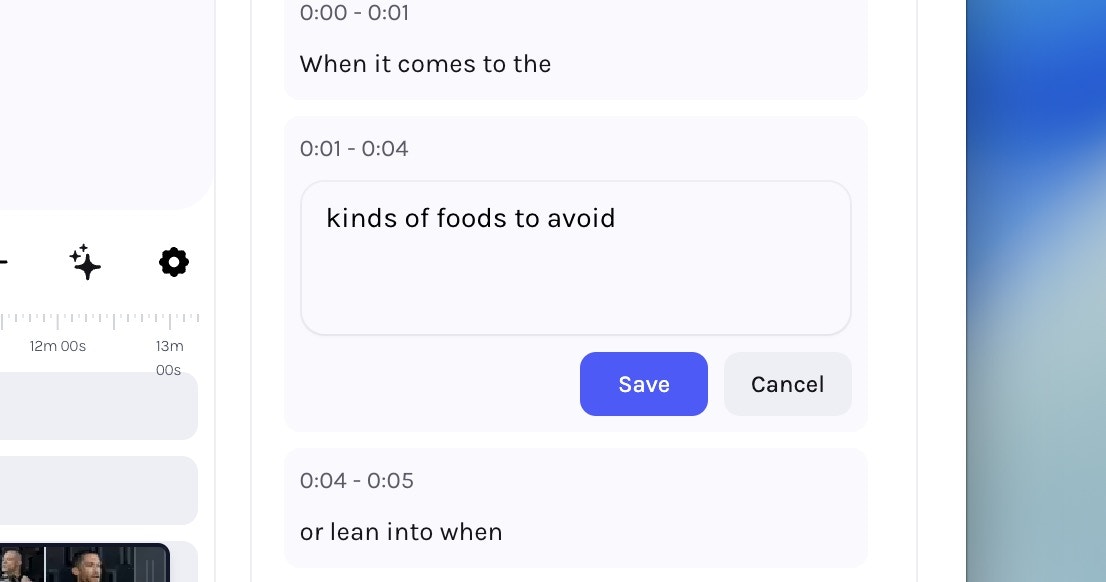
Enhancements
- Read‑only metadata permissions — Metadata fields now respect user‑level permissions, making selected fields visible but uneditable for restricted users.
- Numeric font‑size tooltips — Subtitle font sizes now display numeric values for precise adjustment.
- Metadata export improvements — Template exports now include prompt columns in CSV files for clearer downstream data entry and automation.
Fixes & Stability
- Login redirects — Fixed an issue where logging out and then logging back in sometimes redirected to old URLs, causing access‑denied errors.
- Tree node messaging — Clearer messaging when rename or cut actions are disabled on Connected Folders.
- Subtitles in editor — Corrected bottom offset alignment; fixed overlaps when trimming from the start; resolved colour‑picker inconsistencies.
- Face‑tracked video rendering — Fixed rendering glitches for face‑tracked content in the editor.
- Mobile video playback — Vertical videos now maintain correct proportions after HLS transcoding.