

Documentation Index
Fetch the complete documentation index at: https://docs-dev.tessact.ai/llms.txt
Use this file to discover all available pages before exploring further.
Overview
This release introduces Webhook integration for powerful external automation and a comprehensive asset activity log to monitor all user and AI-automated asset actions. Expect smoother workflows with improved face tracking accuracy, streamlined scene exports, and broad stability improvements throughout the platform.What’s new
Asset Activity Log in Technical metadata
Track user and automated activities for each asset, complete with precise timestamps, inside the Technical metadata → Activity tab.Tracked activities
- Upload
- Rename
- Status change
- AI analyzing
- Transcoding
- Playback optimization
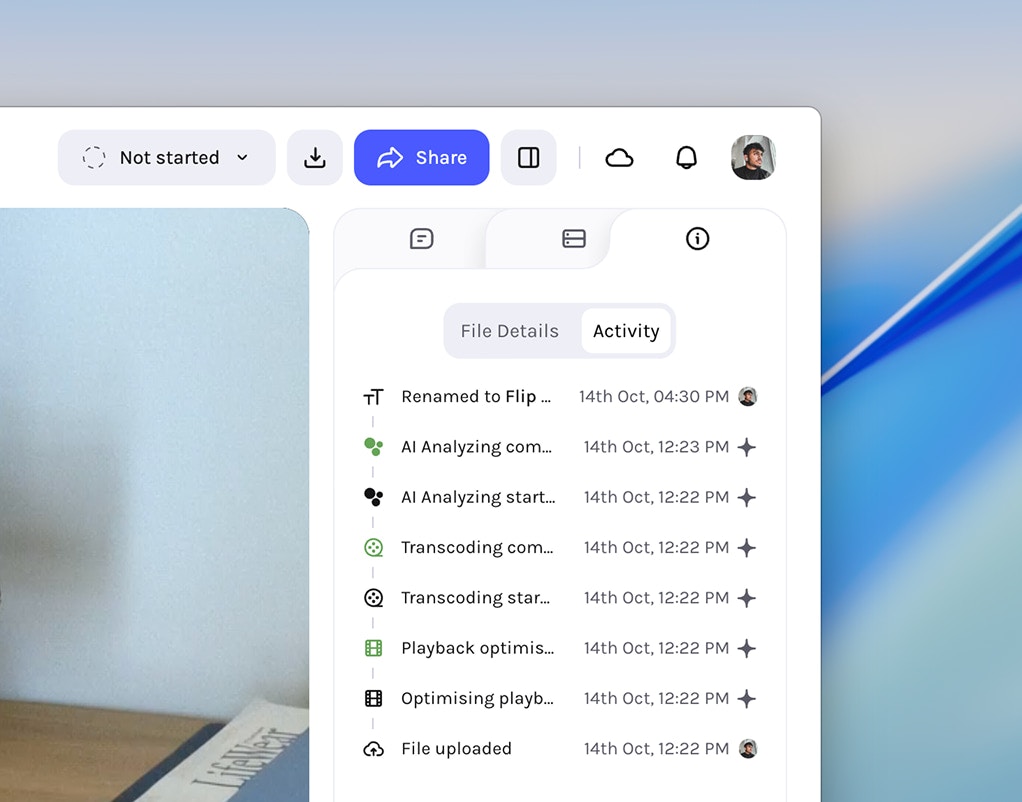
The asset activity log records actions only for assets uploaded following
this release; assets added earlier will not have activity history.
Webhook Integration
Connect Tessact to your automation workflows via outgoing webhooks. Use popular providers like Zapier, n8n, IFTTT, or your own custom endpoint.Set up the webhook on your provider
Using your chosen automation provider (such as Zapier, n8n, or IFTTT), set
up a new webhook by creating an endpoint and copying its URL for later use.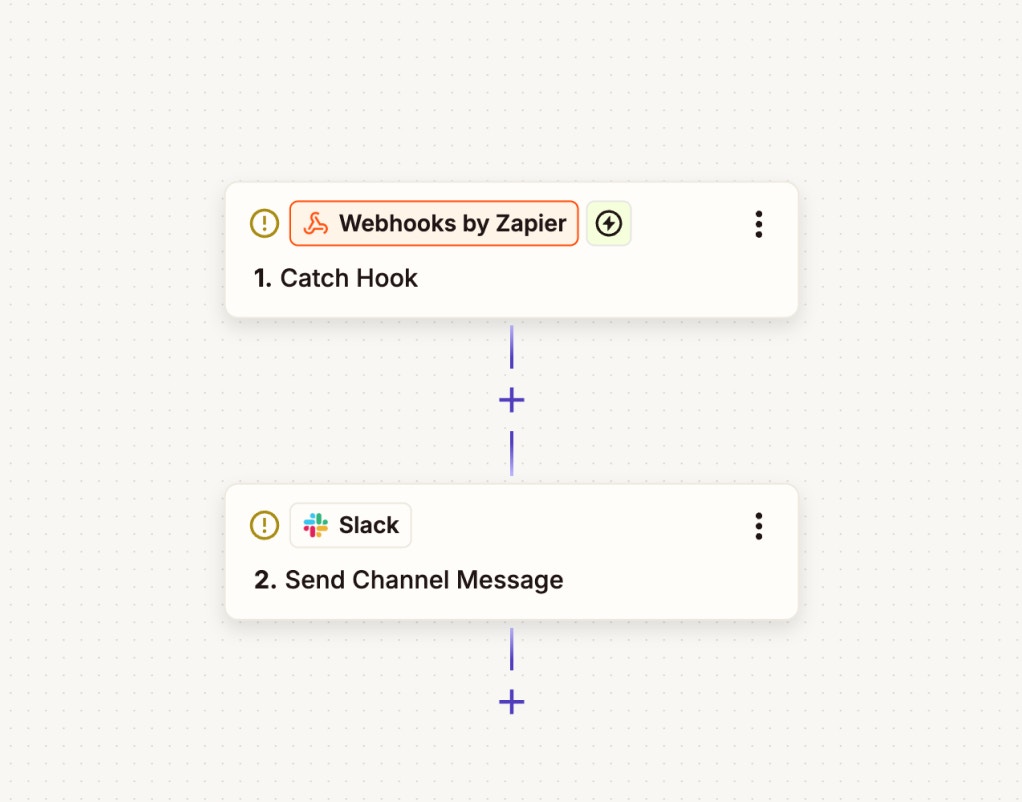
Create a new action from Settings in Tessact
In Tessact, navigate to Settings, then select Actions and click
Create New Action.
Choose a trigger and select 'Trigger webhook'
Select your desired trigger from the list of available triggers, then choose
Trigger webhook as the action to link your workflow.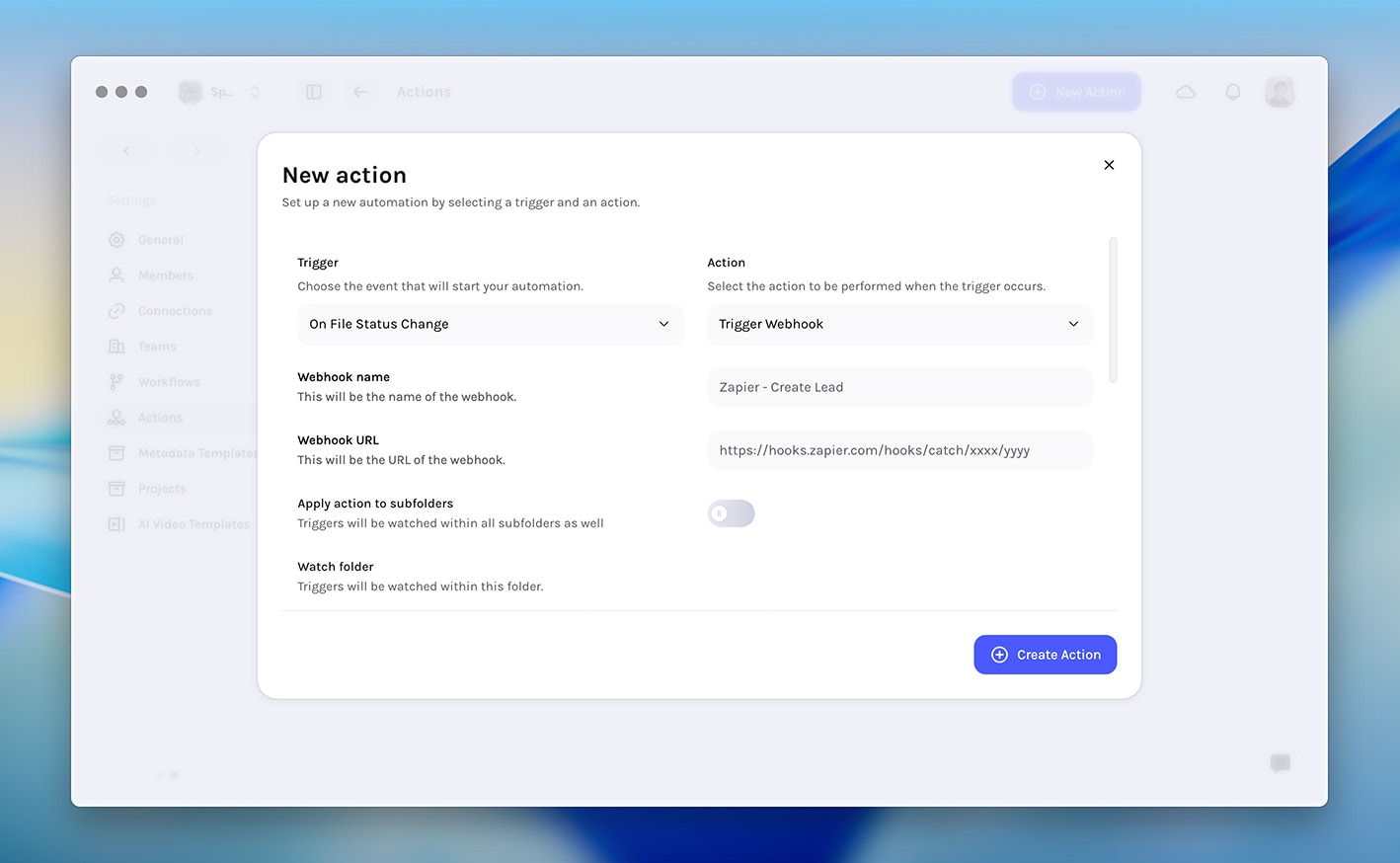
Triggers
- Comment added to file (comment text, user email, video url)
- File status change
- File uploaded to folder
- File viewed
- File downloaded
- File analyzing started
- File analyzing complete
More triggers and actions will become available in upcoming releases.
Enhancements
- Face tracking — New algorithm using our latest face detection model for improved accuracy.
- Scene detection export — Export items as MP4 directly from the AI Detected Metadata tab.
- Unique content ID — Available for every asset in the Technical metadata tab.
- Folder deletion — Optimized performance for deeply nested structures.
Fixes & Stability
- Relative due date options — Fixed missing options when creating workflow steps.
- Video player buttons and fonts — Unified sizes and standardised font.
- Editor UI — Improved button styling, font consistency, and increased maximum timeline tracks.
- Audio files metadata — Fixed empty AI Detected tab for video metadata.
- Toast notifications — Fixed blank messages when multiple toasts were stacked.
- Multi‑audio track analysis — Fixed failures for videos with multiple audio tracks.
- Metadata Autofill API — Fixed multi‑select value parsing.