

Documentation Index
Fetch the complete documentation index at: https://docs-dev.tessact.ai/llms.txt
Use this file to discover all available pages before exploring further.
Overview
This release introduces Custom statuses in Library, allowing you to create and manage custom statuses for your assets. It also adds the ability to download transcripts for your assets, and improves the stability of the platform.What’s new
Custom statuses in Library
You can now create and manage custom statuses for your assets in the Library. This allows you to track the progress of your assets and to manage them more effectively.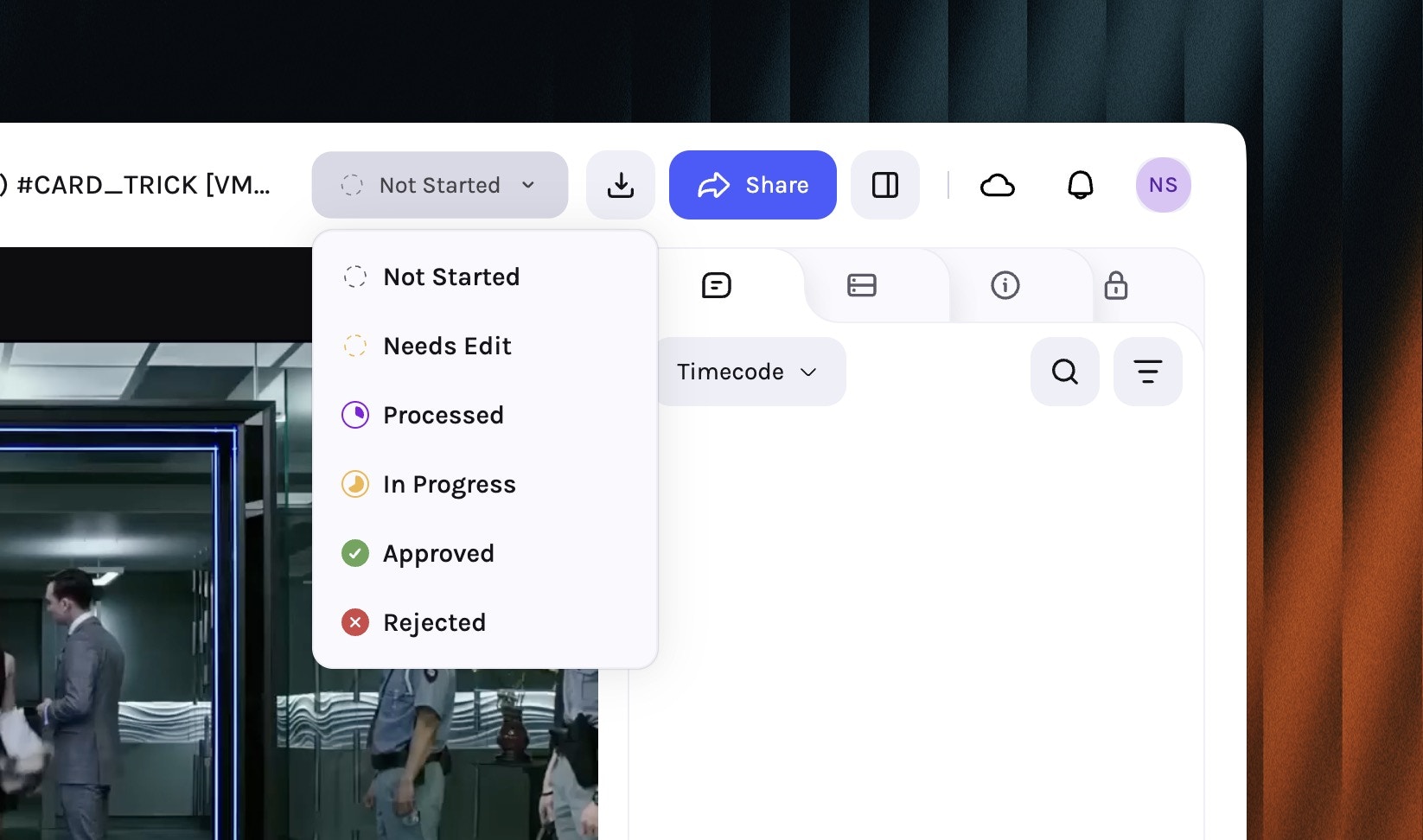
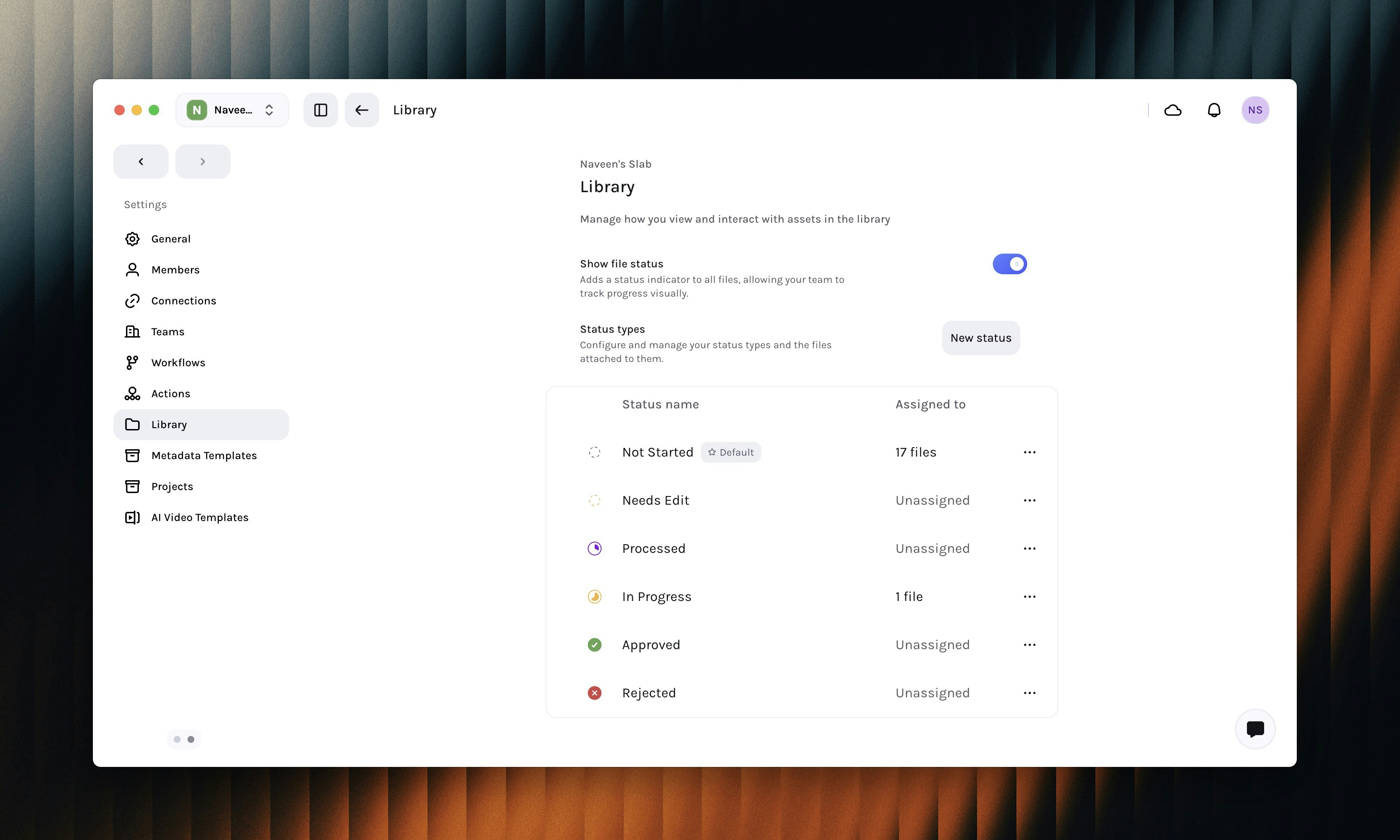
Create a new status
Under the Status Types section Click on the New Status button to create a new status.
Configure the status
Configure the status by entering a name, icon, and color.
Enable Set as default to make this status the default status for new assets.
Multi-lingual transcript downloads
You can now download transcripts for your assets in the Library in multiple languages. This allows you to use the transcripts for your downstream use-cases.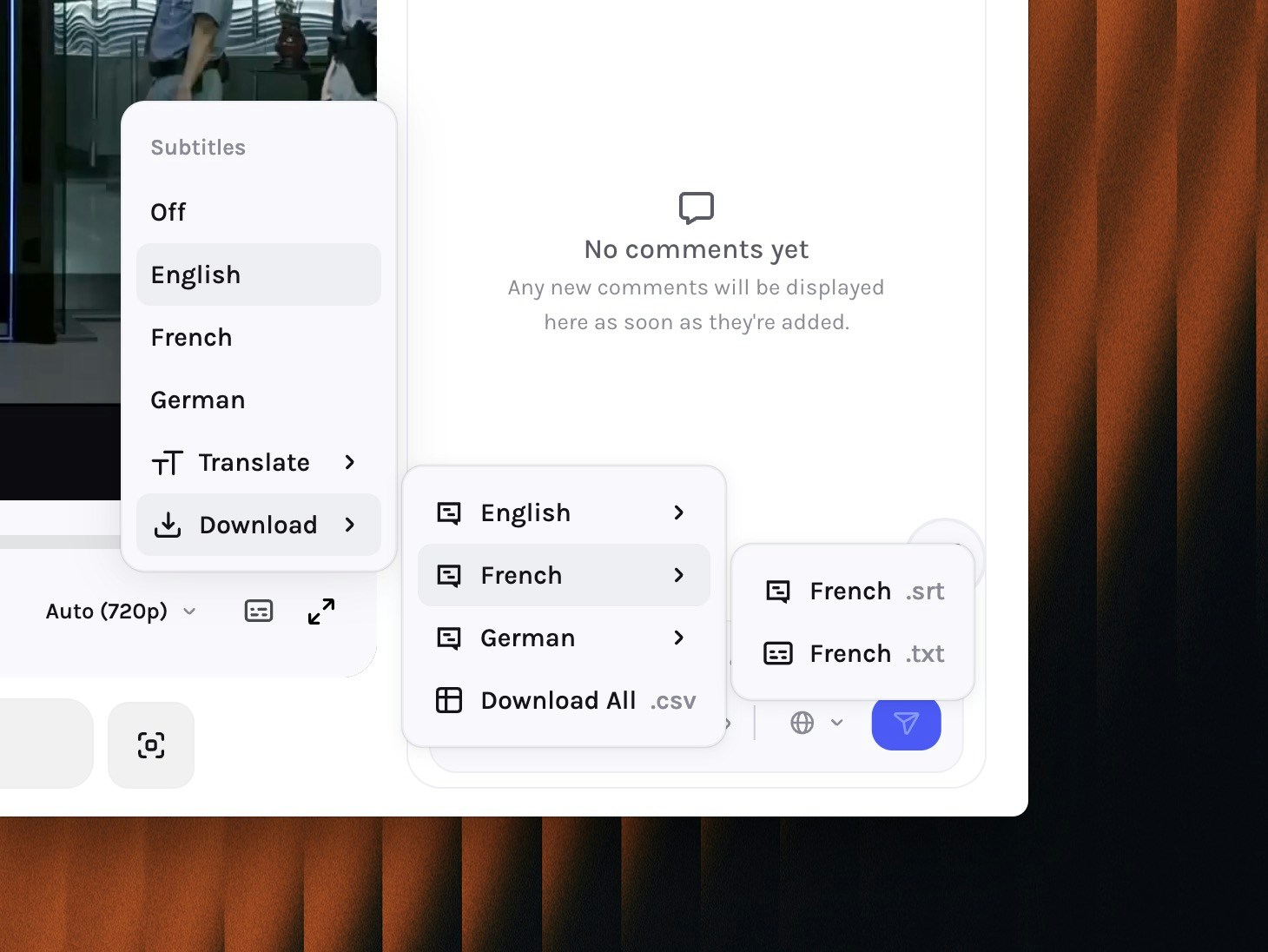
Enhancements
- User’s date preferences are now respected in file activity instead of always showing absolute date.
- Enhanced security of trigger webook action.
- Added IP detection to prevent local and private webhook configuration on private / local IP.
- Added whitelist to allow only Slack and Zapier hooks, more coming soon.
Fixes & Stability
- Fixed instances of library tree not updating when a file status is changed.
- Improved the performance of editor to prevent black frames when switching between cuts.
- Fixed layout and UI inconsistencies between global tasks and project tasks page.