

Documentation Index
Fetch the complete documentation index at: https://docs-dev.tessact.ai/llms.txt
Use this file to discover all available pages before exploring further.
Overview
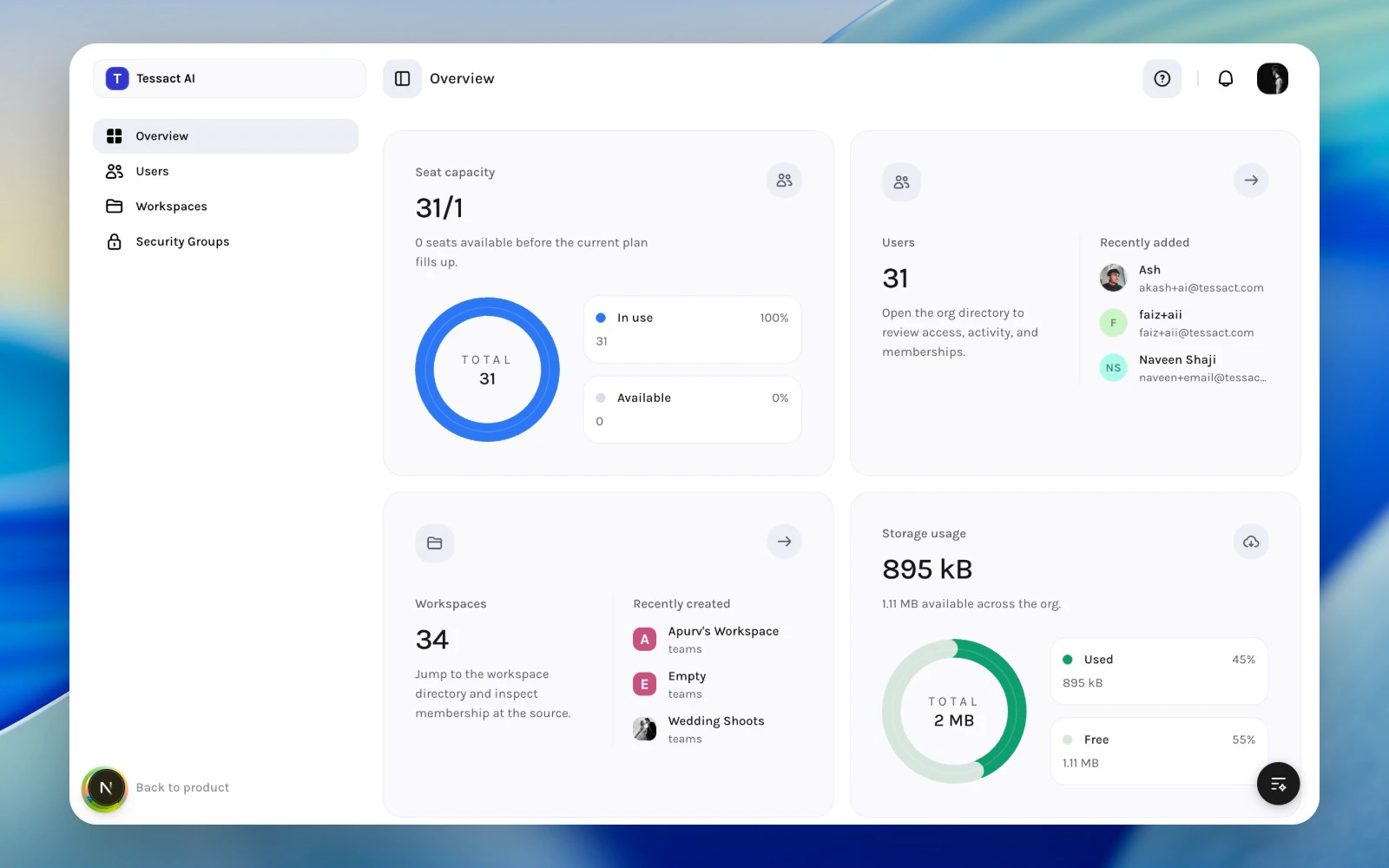
The Overview page is the landing surface for Tessact organization admins. It is designed to answer four questions quickly:- How close is the org to its seat limit?
- How many users are active in the organization?
- How many workspaces need governance?
- How much storage is already consumed?
What The Page Shows
The overview surface is built around four cards:| Card | What it tells you | Why it matters |
|---|---|---|
| Seat capacity | Used seats versus total allowed seats | Helps you catch onboarding bottlenecks before invites fail |
| Users | Total users plus a recent-user preview | Sends you into the user directory for access and activity review |
| Workspaces | Total workspace count plus recently created workspaces | Helps you spot growth, sprawl, and ownership issues |
| Storage usage | Used storage versus org capacity | Signals when to review workspace limits or cleanup plans |
How Admins Should Use It
Use the overview as the top of a regular admin review loop:- Check seat capacity before onboarding or large imports.
- Open Users when access, activity, or role assignments need attention.
- Open Workspaces when the org is creating too many workspaces or leaving old ones unmanaged.
- Review storage usage before teams hit limits or request capacity changes.
The exact numbers come from live organization data. If a metric looks incomplete, the backend may still be calculating subscription or storage details for that org.
What To Check First
For a lightweight weekly review:- Look for seat pressure when the remaining seat count is low.
- Look for unexpected user growth in the Users card.
- Look for workspace sprawl if the workspace count is climbing without clear ownership.
- Look for storage acceleration rather than only absolute usage.
- Audit inactive or duplicate users.
- Review whether workspaces still have clear owners.
- Confirm storage usage still matches the plan and operating model.
Best Practices
- Treat the overview as a triage surface, not the final destination.
- Use it at the start of onboarding, offboarding, or quarterly access reviews.
- Follow the metric cards into Users or Workspaces instead of trying to manage exceptions from memory.
- Pair seat and storage reviews with real workflow changes, not only billing discussions.
Next Steps
Admin operating model
See how Tessact expects admins to divide work across users, workspaces, and security controls.
User lifecycle management
Go from overview signals into day-to-day user administration.