

Documentation Index
Fetch the complete documentation index at: https://docs-dev.tessact.ai/llms.txt
Use this file to discover all available pages before exploring further.
Overview
Workspace roles answer one question: what should this person be allowed to do inside this workspace? The Members tab is where admins review those assignments in context.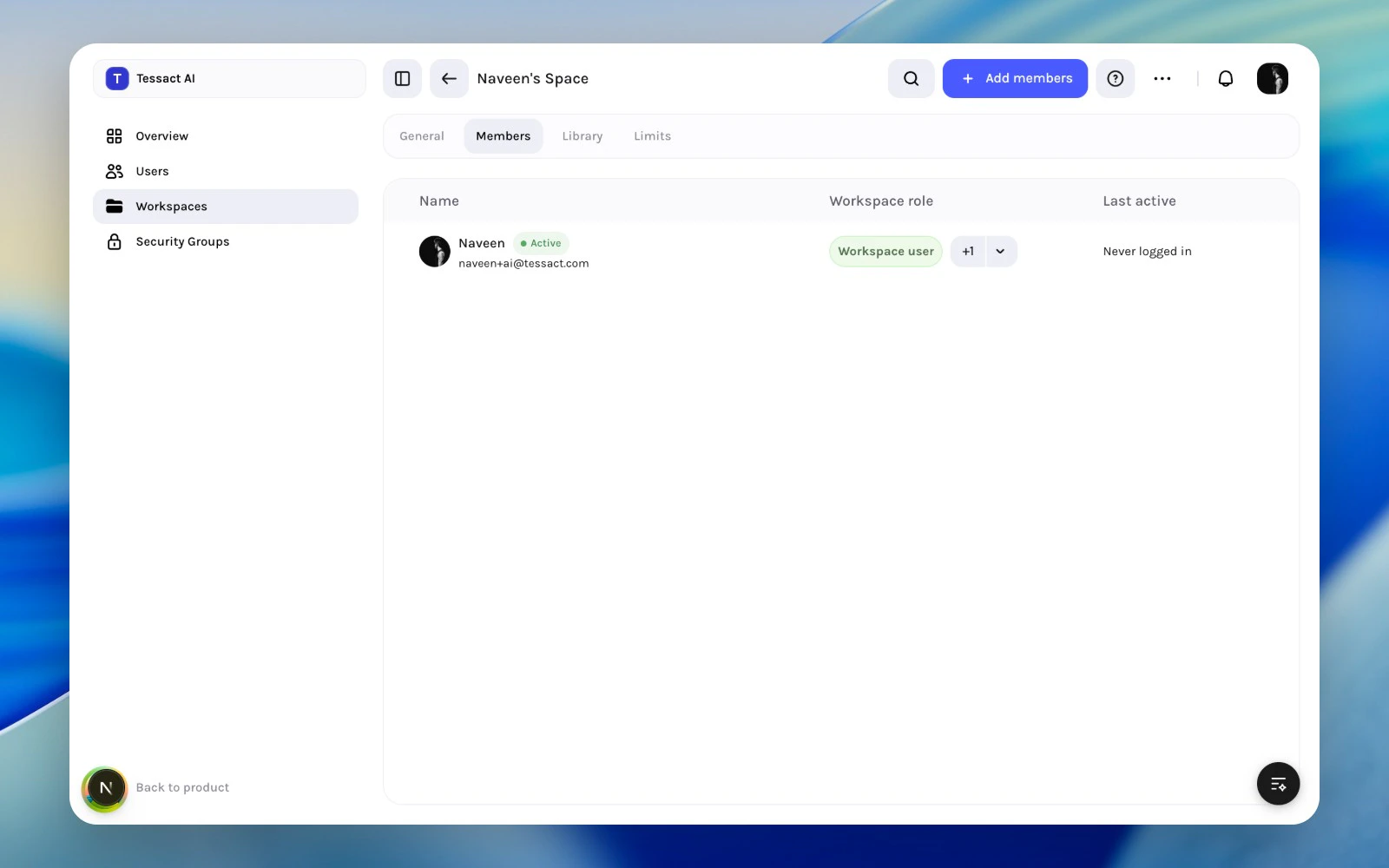
Role Assignment Principles
Use workspace roles to express workspace-specific responsibility, not org-wide authority.- give the lowest role that still matches the real job
- review roles when someone changes function inside the workspace
- avoid using workspace roles to compensate for unclear org roles
When To Change A Workspace Role
Change the role when:- a member becomes an active workspace operator
- a reviewer or collaborator no longer needs elevated access
- a temporary assignment ends
- a cleanup pass shows that role breadth no longer matches usage
Guide: Keep Workspace Roles Clean
Start from the Members tab
Review the role column alongside name and activity so the assignment stays tied to actual workspace usage.
Use add-member flows to set the initial role well
When adding members, choose the correct workspace role at the point of entry instead of adding first and fixing later.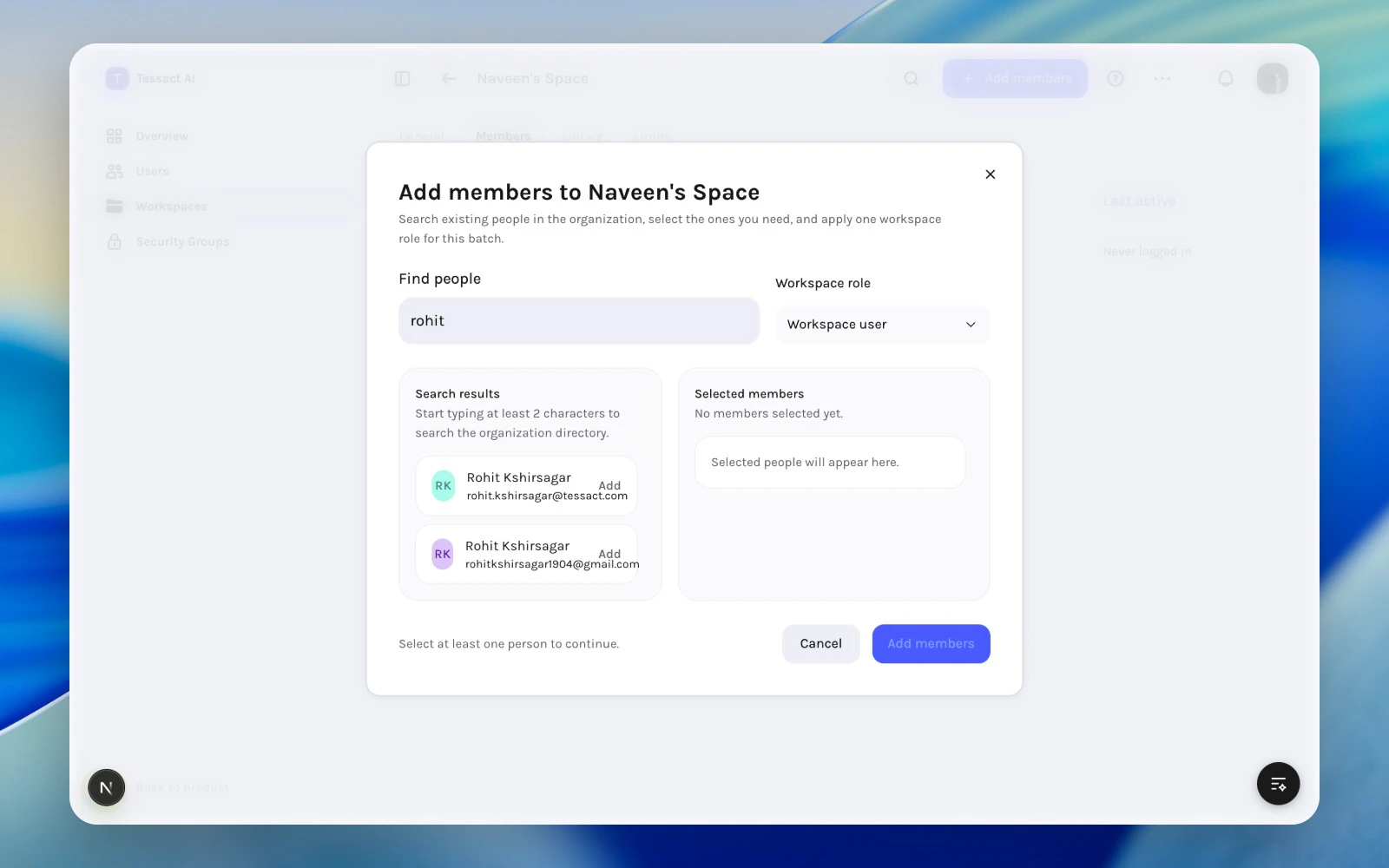
Best Practices
- Keep elevated roles rare and reviewable.
- Align workspace role changes with real task ownership changes.
- Recheck roles whenever you review dormant access.
- Prefer role clarity over convenience.
Next Steps
Workspace membership reviews
Return to the broader access review model inside a workspace.
Removing users safely
Use removal when the user should not stay in the workspace at all.