

Documentation Index
Fetch the complete documentation index at: https://docs-dev.tessact.ai/llms.txt
Use this file to discover all available pages before exploring further.
Overview
The General tab is where admins make the workspace recognizable. It covers the workspace name, logo, and the settings that shape how the workspace appears in admin and across the product.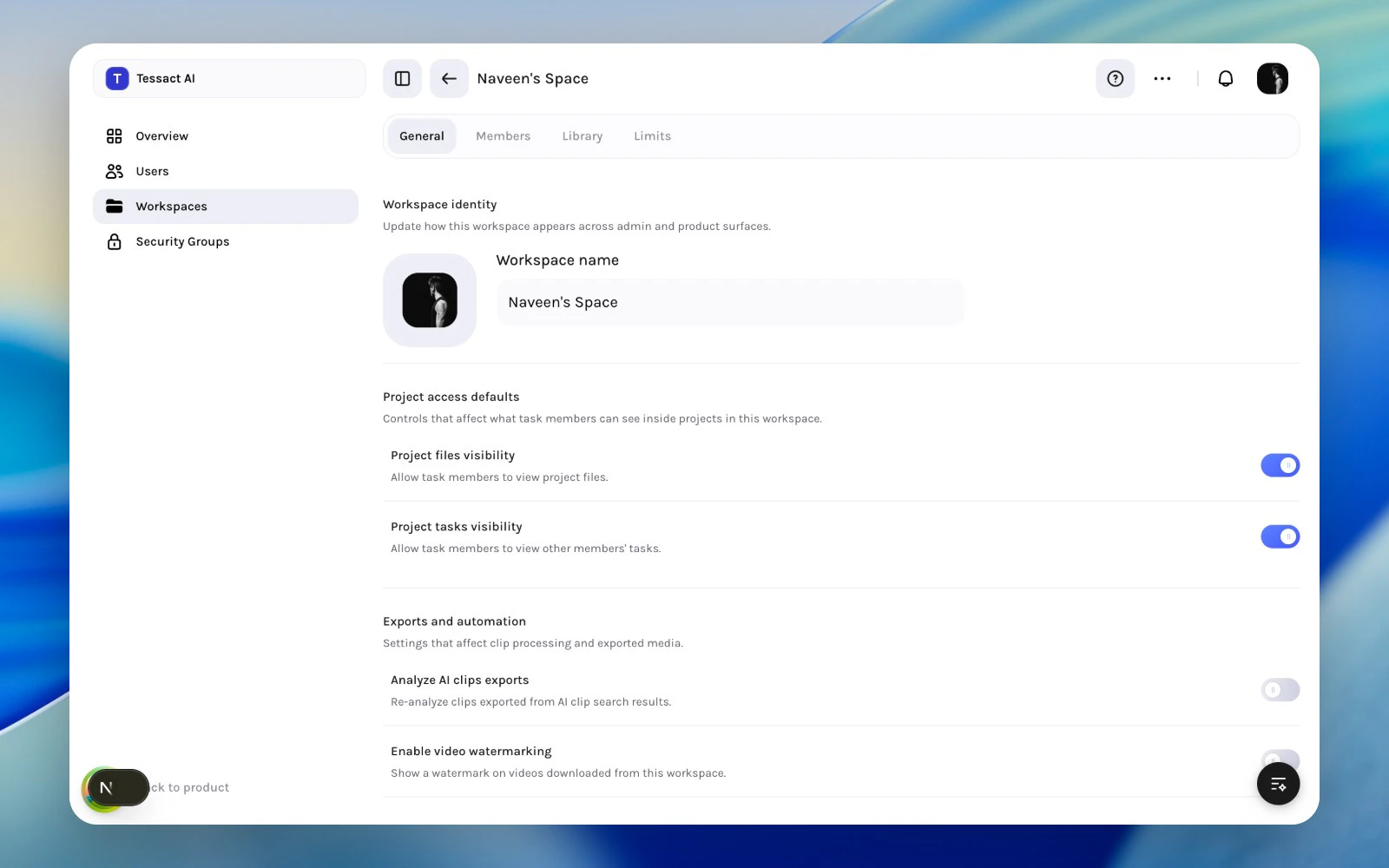
Why Identity Matters
Workspace identity is not cosmetic only. Clear naming and recognizable visuals make it easier to:- distinguish active workspaces from stale ones
- avoid duplicate workspace creation
- keep admin reviews understandable at org scale
Guide: Keep Workspace Identity Clear
Review the workspace name first
Make sure the title clearly reflects the operating team, initiative, or business function behind the workspace.
Use a recognizable logo or icon
The workspace logo should make the workspace easy to spot in both admin and product surfaces.
Best Practices
- Prefer stable, descriptive names over temporary project shorthand.
- Use visuals that help admins and operators distinguish similar workspaces.
- Review workspace identity during quarterly cleanup, not only at creation time.
Next Steps
Behavior and access settings
Go deeper into the toggles that affect project visibility and exports.
Workspace admin essentials
Return to the full workspace operating model.