

Documentation Index
Fetch the complete documentation index at: https://docs-dev.tessact.ai/llms.txt
Use this file to discover all available pages before exploring further.
Overview
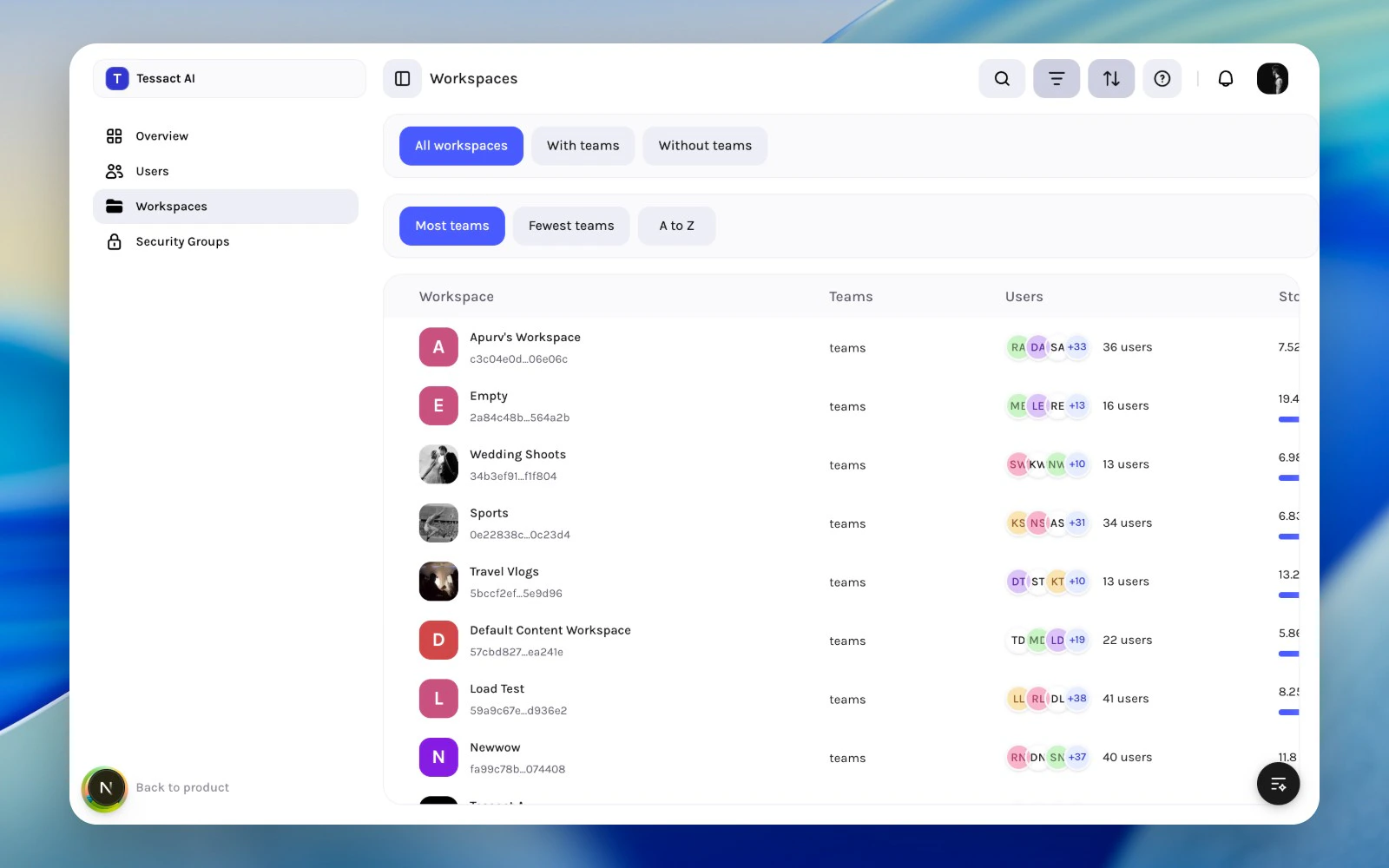
The Workspaces directory is where org admins review the workspace layer as a system, not just one workspace at a time. It answers three recurring questions:- which workspaces are active and operational
- which ones look under-owned or under-used
- where storage and membership review should happen next
What Governance Means In Tessact
In the current admin model, workspace governance is mostly about operational hygiene:- keep workspace sprawl understandable
- review whether member lists still match real teams
- watch storage pressure before it becomes a problem
- use section-level settings only where they add clarity
Guide: Review The Workspace Directory
Start from the workspace directory
Open Admin → Workspaces to review the full org-level workspace list instead of checking each workspace in isolation.
Use filters and sort to shape the review
The directory supports quick segmentation such as All workspaces, With teams, and Without teams, plus sort options like Most teams, Fewest teams, and A to Z.
Signals Worth Investigating
Review a workspace more closely when:- it has very few members and no clear owner
- it has storage growth that no longer matches its purpose
- it has no teams or looks abandoned
- it appears overstaffed relative to the work happening there
- the workspace name or identity is vague enough to confuse admins later
Governance Rhythm
Use a simple cadence:- Weekly: scan the directory for new workspaces and unusual growth.
- Monthly: review membership and storage in the workspaces that look most active or least clear.
- Quarterly: archive, rename, or simplify workspaces that no longer reflect a real operating model.
Best Practices
- Treat the directory as an org-level triage surface.
- Review risky workspaces from the top down before editing members.
- Prefer a few clearly named workspaces over a long tail of duplicates.
- Pair member reviews with storage reviews so governance stays practical.
Next Steps
Workspace directory reviews
See how to read the workspace table and decide what to inspect next.
Workspace admin essentials
Move from org-level governance into the four core workspace sections.