

Documentation Index
Fetch the complete documentation index at: https://docs-dev.tessact.ai/llms.txt
Use this file to discover all available pages before exploring further.
Overview
Security Groups let admins define reusable membership cohorts at the organization level. In the current admin model, Tessact keeps this surface intentionally lightweight:- create a group
- describe what it is for
- manage who belongs to it
- review default versus custom groups
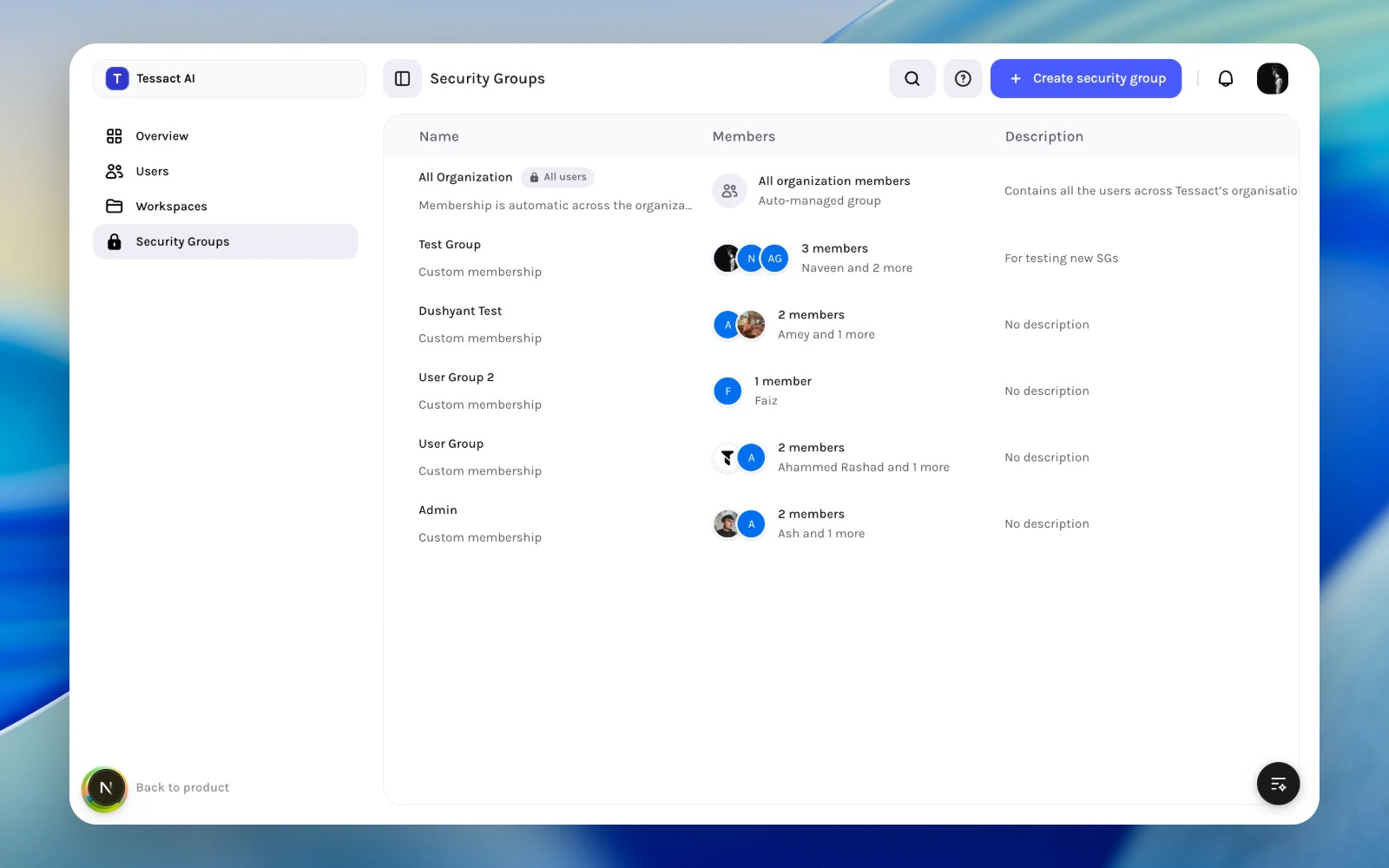
What The Directory Shows
The security groups directory includes:| Column | What it shows |
|---|---|
| Name | Group title plus whether it is the protected default group |
| Members | Member count and a quick preview of who belongs |
| Description | Why the group exists |
- which groups exist?
- which ones are default and protected?
- which groups are custom?
- does each group still have a clear purpose?
Default Versus Custom Groups
Tessact distinguishes between:Default group
The built-in All users style group is auto-managed by the organization. It represents the whole org and cannot be treated like a normal custom group.Custom groups
Custom groups are created by admins and should represent a purposeful cohort, such as:- reviewers
- brand approvers
- regional operators
- restricted partner teams
Create A Security Group
Use Create security group from the action bar. The creation flow captures:- group name
- description
Review the existing directory first
Search the security groups directory before creating anything. This helps you avoid duplicate groups with overlapping names or unclear purposes.
Create the group with a specific purpose
Use Create security group, then give the group a clear operational name and a description that explains who belongs in it.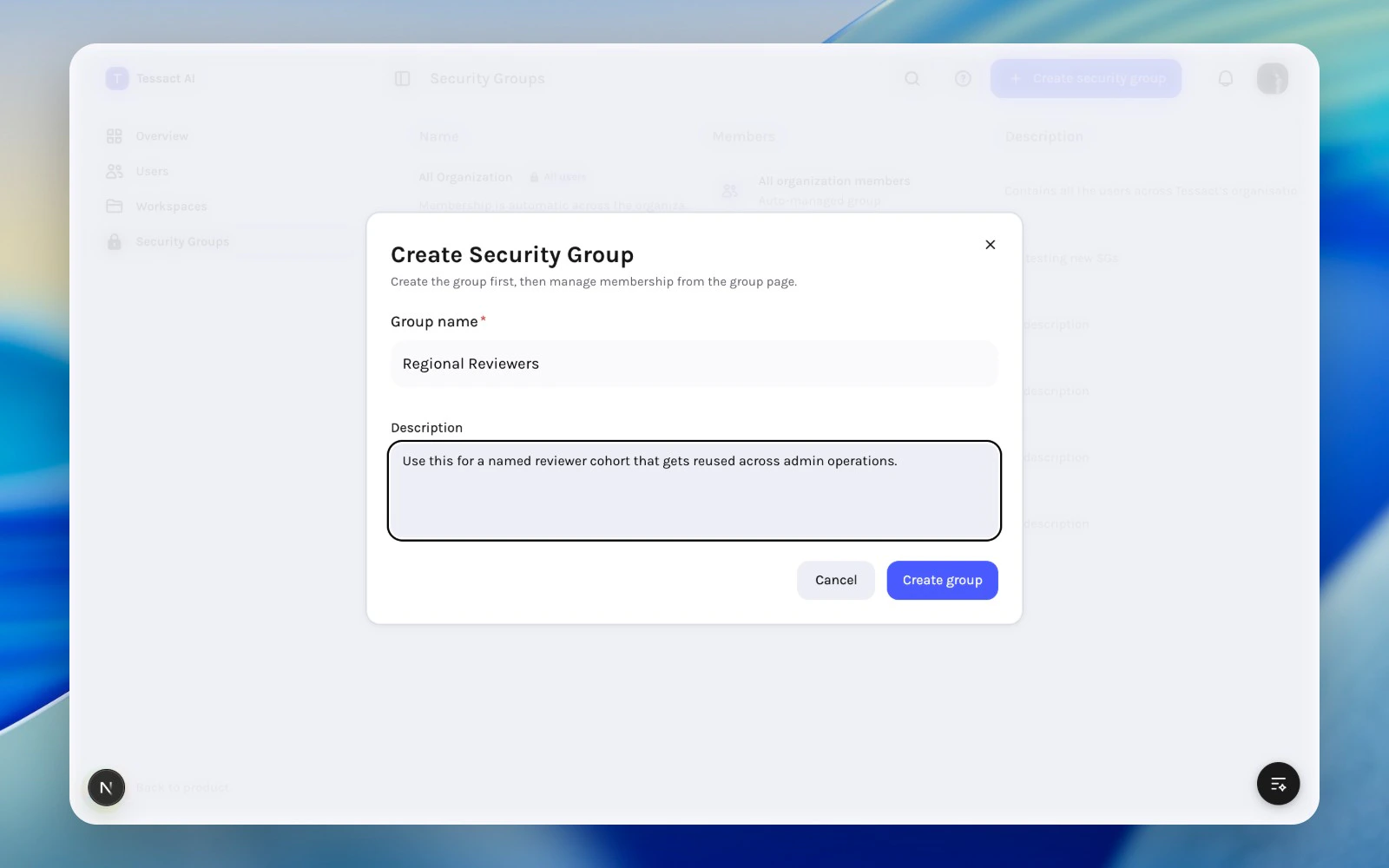
Search And Review
Use the page search to quickly find:- a known group by name
- groups that follow a naming convention
- stale or duplicate groups that need cleanup
Reviewers without a clear description ages badly. A group with a specific purpose is much easier to govern later.
Best Practices
- Keep group names short and operational.
- Use the description to explain who belongs and why.
- Prefer a few durable groups over many one-off groups.
- Review whether a group duplicates an organization role before creating it.
- Treat the default group as infrastructure, not as a manually curated cohort.
Next Steps
Membership governance
Review how admins should keep group membership clean over time.
Managing group membership
Go deeper into the page for a single security group.