

Documentation Index
Fetch the complete documentation index at: https://docs-dev.tessact.ai/llms.txt
Use this file to discover all available pages before exploring further.
Overview
Capacity reviews work best when admins combine the org-level workspace directory with the per-workspace Limits tab. Use the directory to decide which workspace needs attention, then use the limits page to review the local policy and current usage.Signals That Should Trigger Review
- unusual growth in the workspace directory
- a workspace approaching its current cap
- a workspace that is uncapped but growing faster than expected
- a workspace whose storage level no longer matches its business purpose
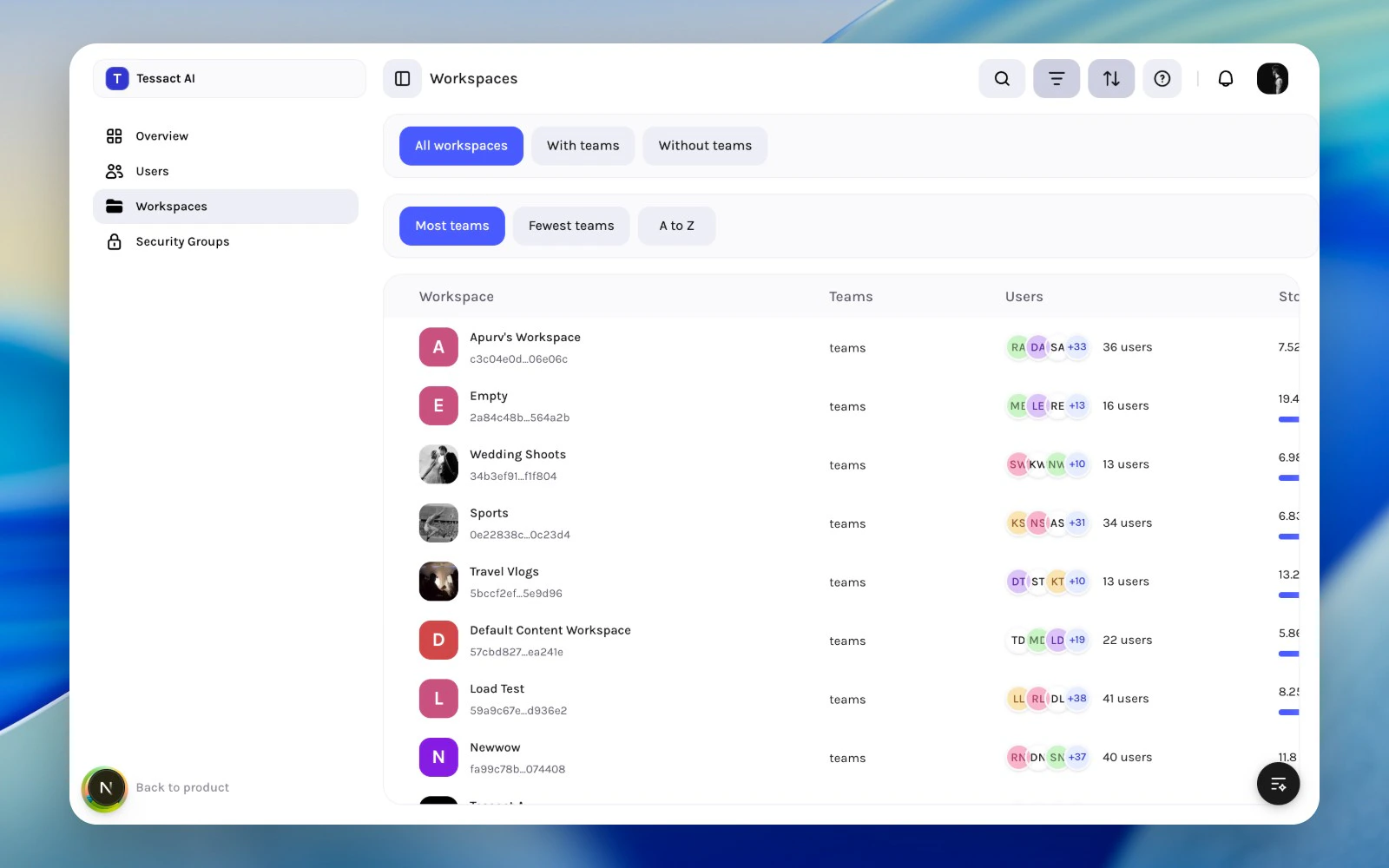
Use The Limits Tab For The Final Decision
Once a workspace looks like it needs capacity attention, use Limits to review the actual storage posture.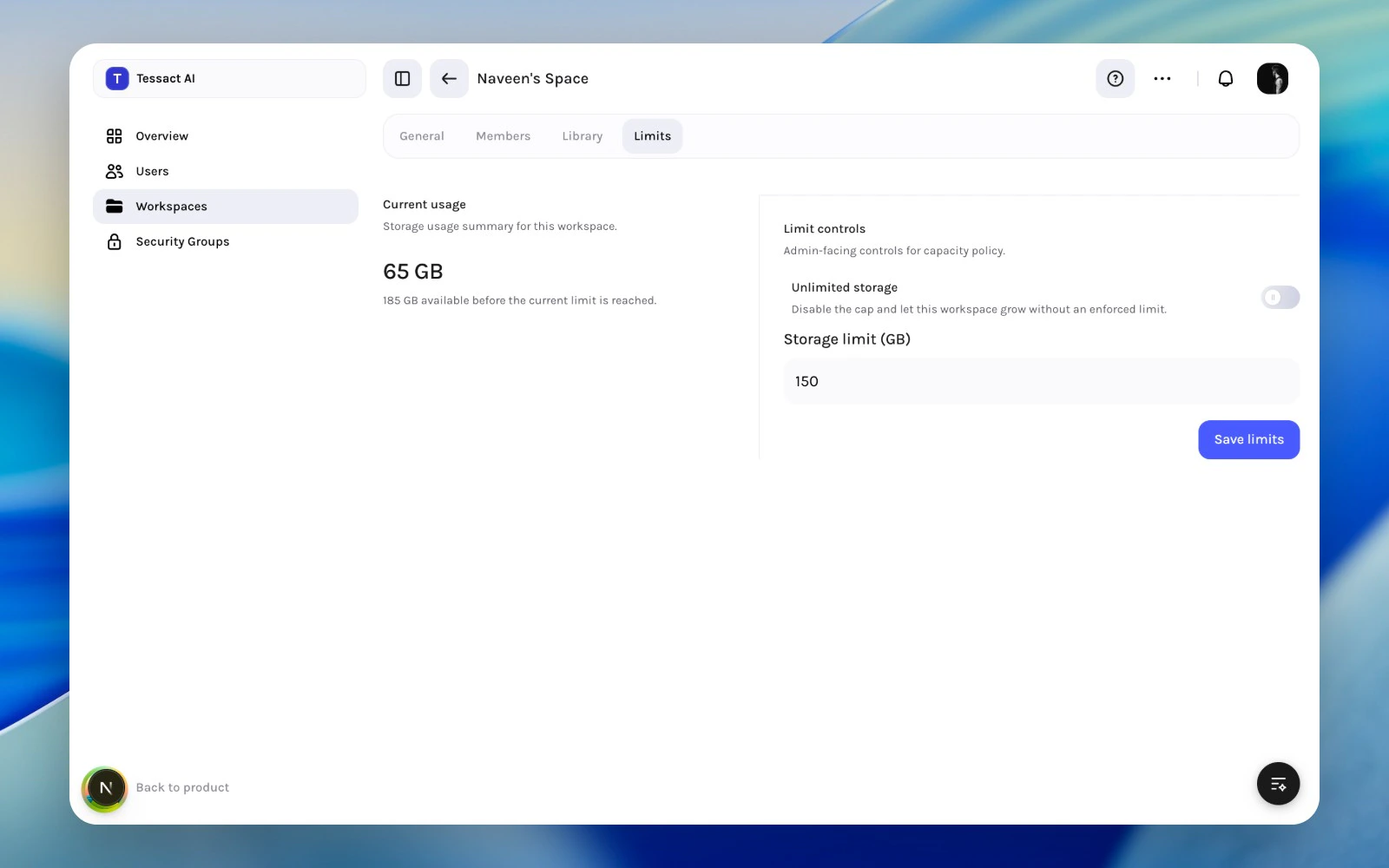
Review Rhythm
- Weekly: scan the workspace directory for unusual growth.
- Monthly: review the workspaces with the highest storage pressure.
- Quarterly: revisit whether unlimited workspaces should stay uncapped.
Best Practices
- Review trend direction, not only absolute size.
- Pair storage reviews with membership and workspace-purpose reviews.
- Do not treat unlimited mode as a substitute for governance.
Next Steps
Storage policy planning
Go deeper into how to choose caps and exceptions.
Workspace directory reviews
Use the directory more effectively as a triage surface.