

Documentation Index
Fetch the complete documentation index at: https://docs-dev.tessact.ai/llms.txt
Use this file to discover all available pages before exploring further.
Overview
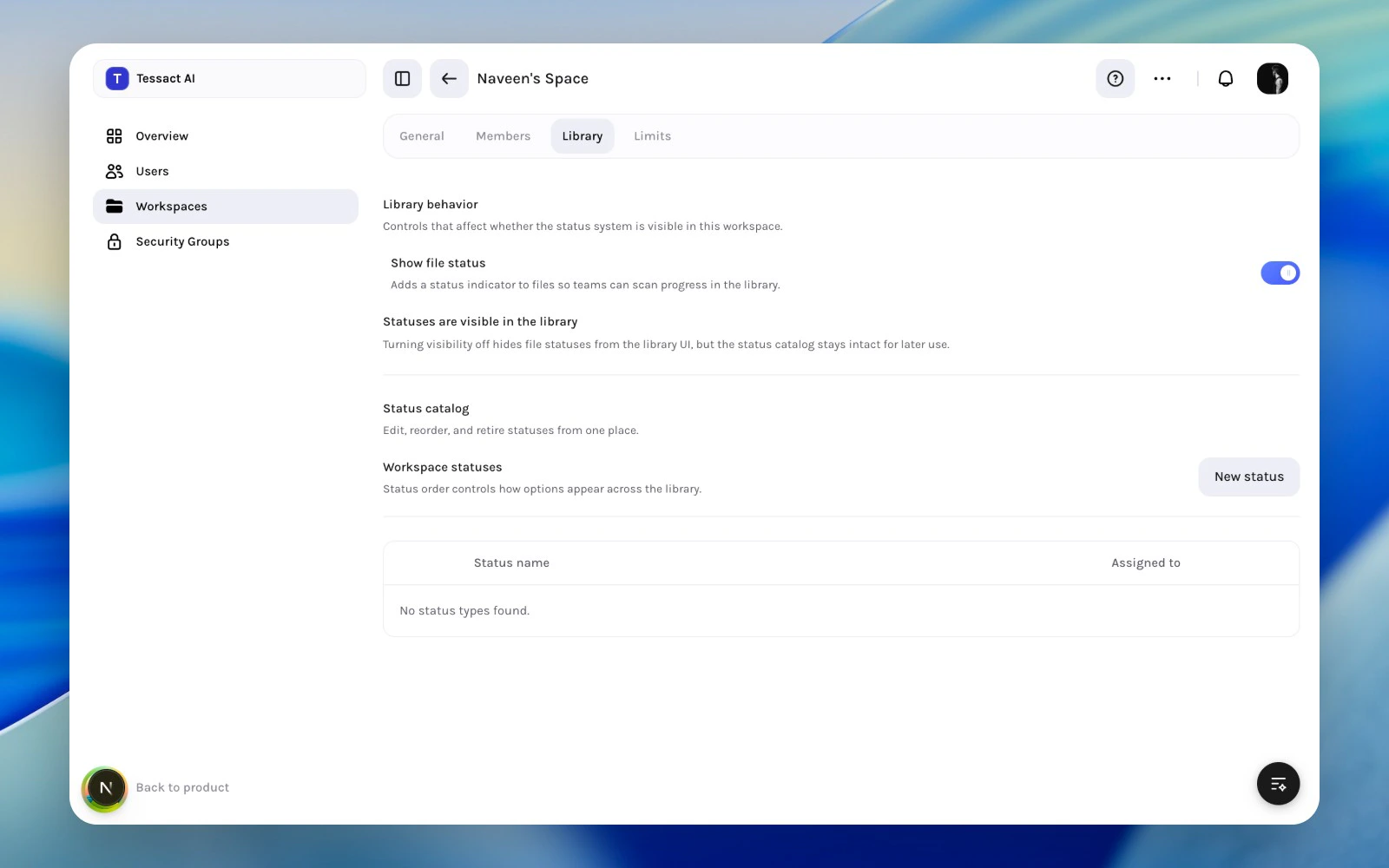
Most workspace policy work in Tessact happens in two places:- Library, where admins decide whether file statuses are visible and which statuses exist
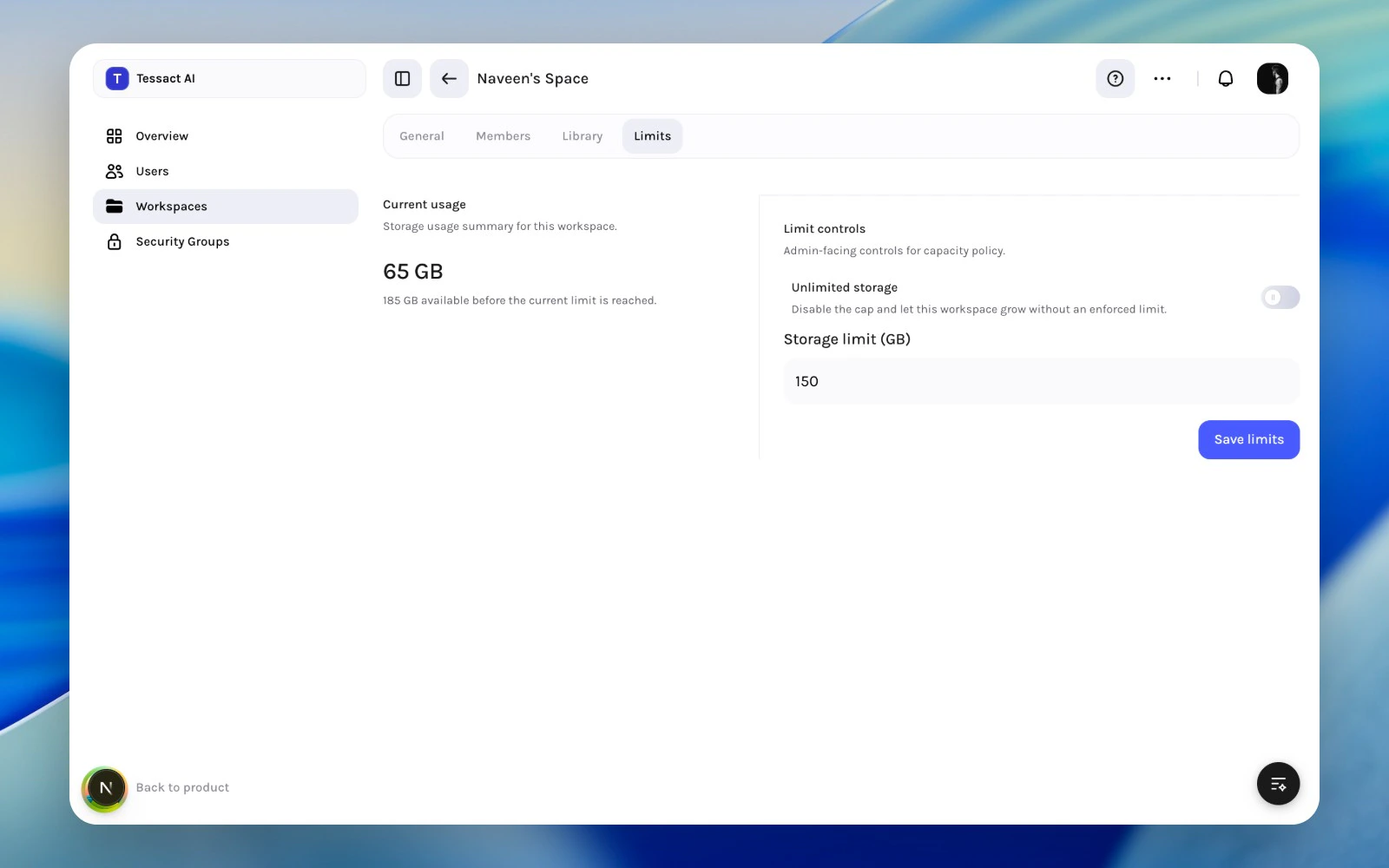
- Limits, where admins review storage usage and set capacity controls
Library Policy
Use the Library tab when you need to control:- whether file status is visible in the workspace
- how many status types exist
- the order, naming, and default behavior of those statuses
Capacity Policy
Use the Limits tab when you need to control:- whether the workspace is capped or unlimited
- the current storage limit in GB
- whether usage is approaching a point that needs review
Why These Policies Belong Together
Status systems shape how work is tracked. Storage policy shapes how much work can accumulate. Reviewing both together helps admins answer a practical question: Is this workspace designed clearly enough for how much work it is expected to carry? That is why these two sections work well as a paired review.Best Practices
- Keep status systems simple enough that teams will actually use them.
- Review storage policy before workspaces hit emergency cleanup mode.
- Avoid changing status behavior and storage policy without a clear operating reason.
- Revisit both policies during quarterly workspace health reviews.
Next Steps
Library status design
Go deeper into status catalog design and rollout.
Storage policy planning
See how to set limits and when unlimited storage makes sense.